THE COMPLETE SCREENSHOT TOUR
Banking, in view.
Return to the guided tour1 / For your clients
Their money. A clearer view.
Balances, recent activity and card status sit beside the assistant. Clients can use ordinary banking controls or start with a request in their own words.
Why it matters: Less navigation between tasks. The same account context supports both the guided assistant and the conventional interface.
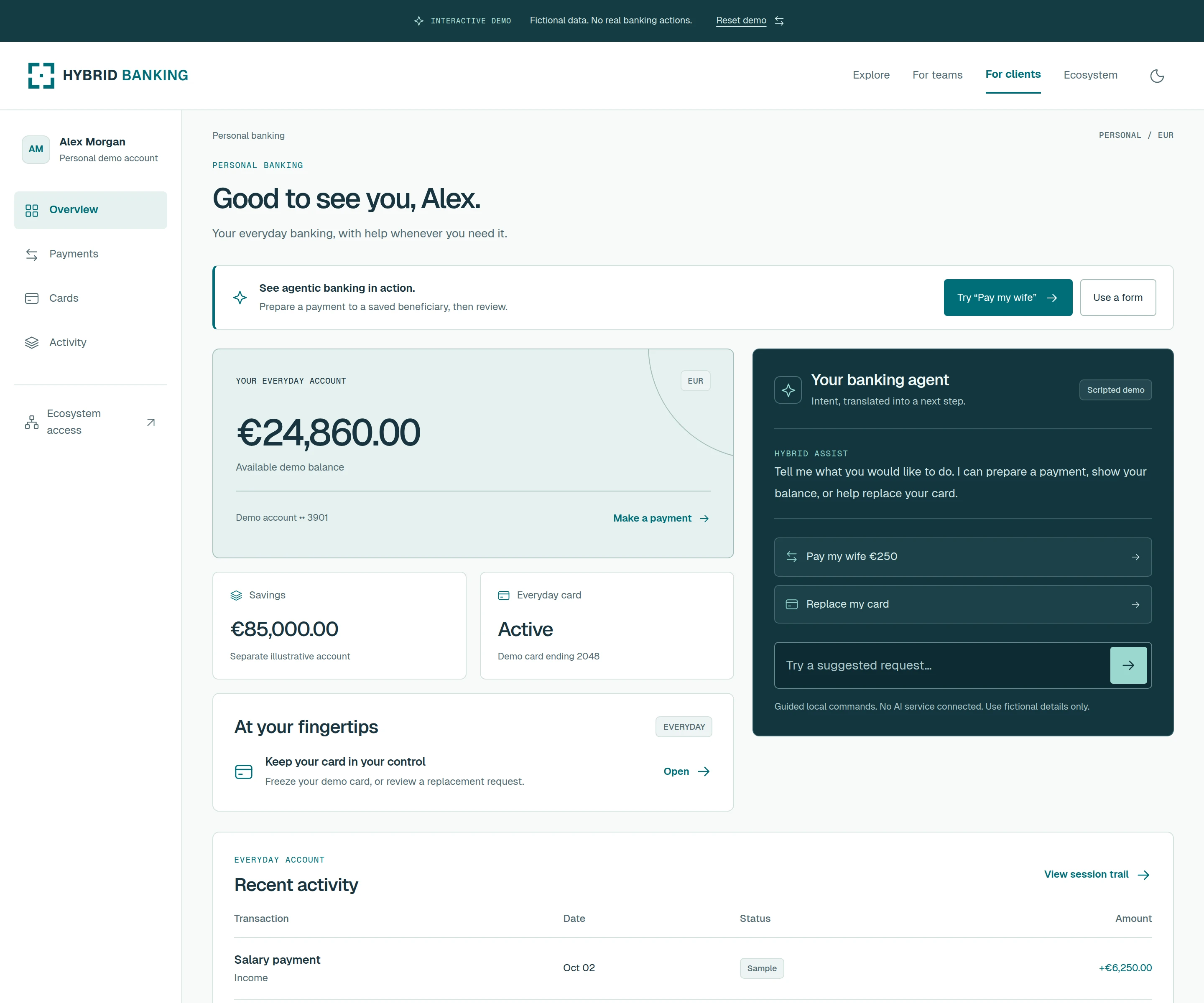
The preview uses fictional accounts and a scripted assistant.
Try client banking2 / For your clients
“Pay my wife €250.”
The assistant prepares a draft for the saved beneficiary. The client sees the name, destination and exact amount before choosing Review & confirm.
Why it matters: Fewer steps to prepare a familiar payment, while the final decision stays with the person. Missing or ambiguous details lead back to explicit controls.
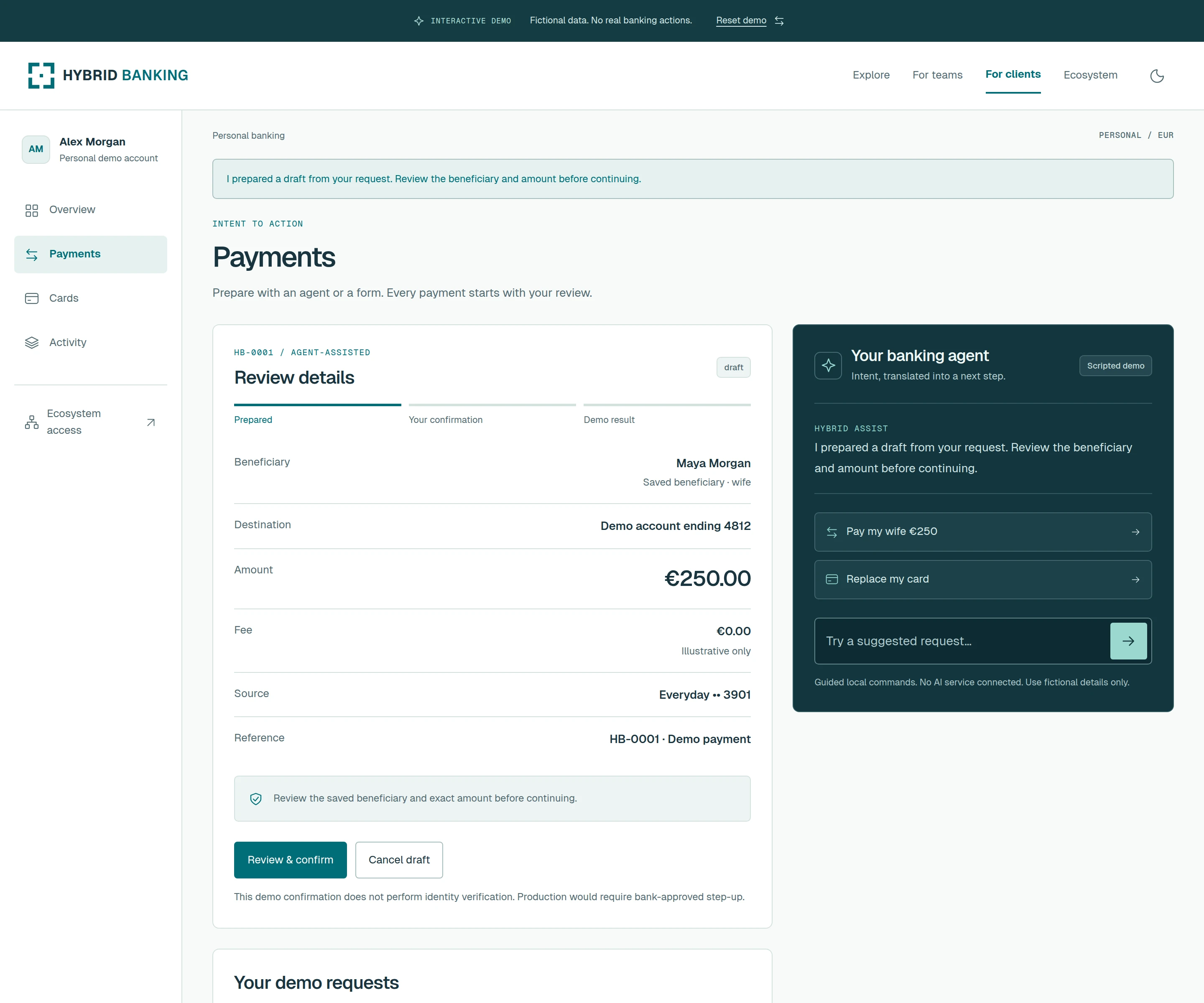
The demo understands a limited set of local commands. It does not send a payment or perform bank-approved step-up verification.
Try a payment3 / For your clients
Everyday service. Wherever they are.
On the left, the client manages their card. On the right, a replacement request opens a review of the card and saved delivery address.
Why it matters: A direct route from a service need to a reviewed request. The same workflow fits a phone, without searching through desktop menus.
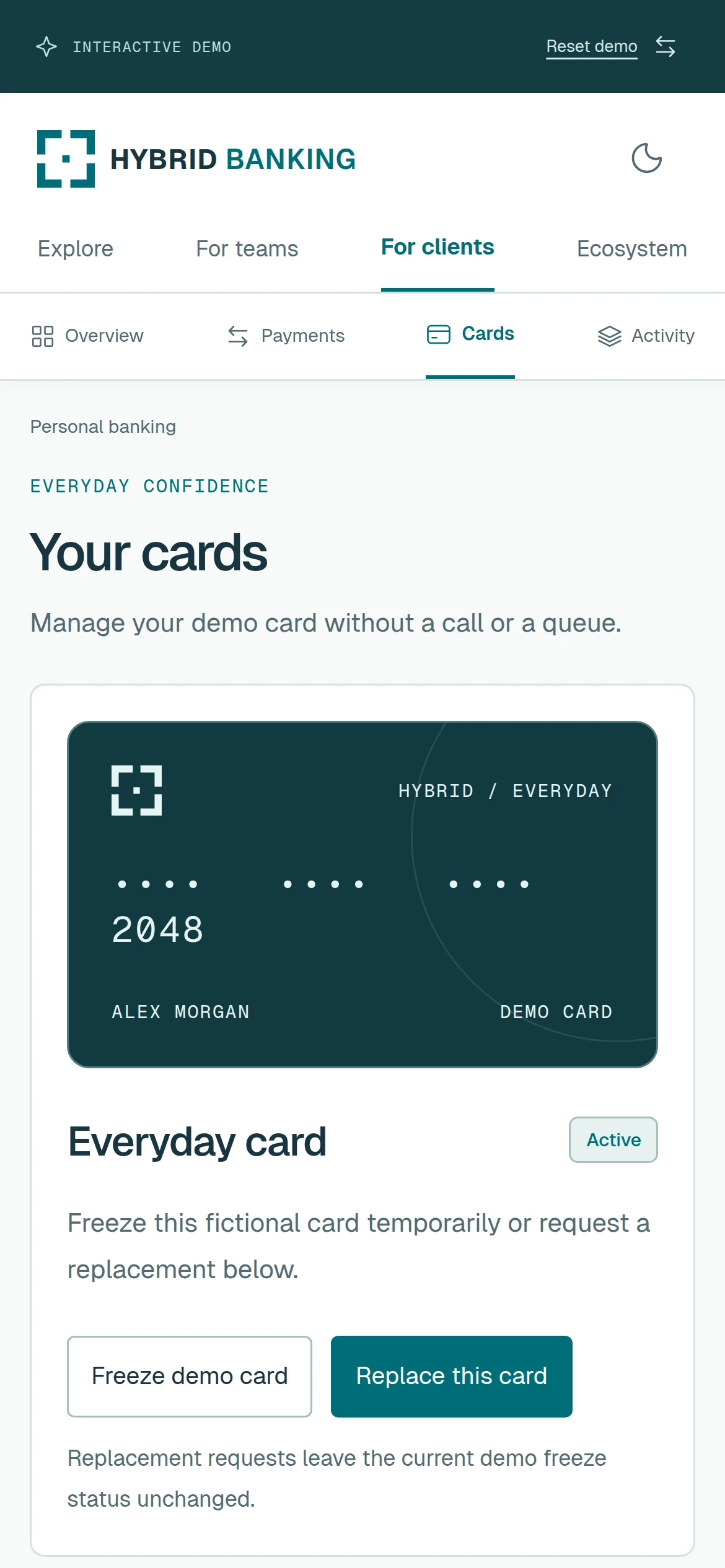
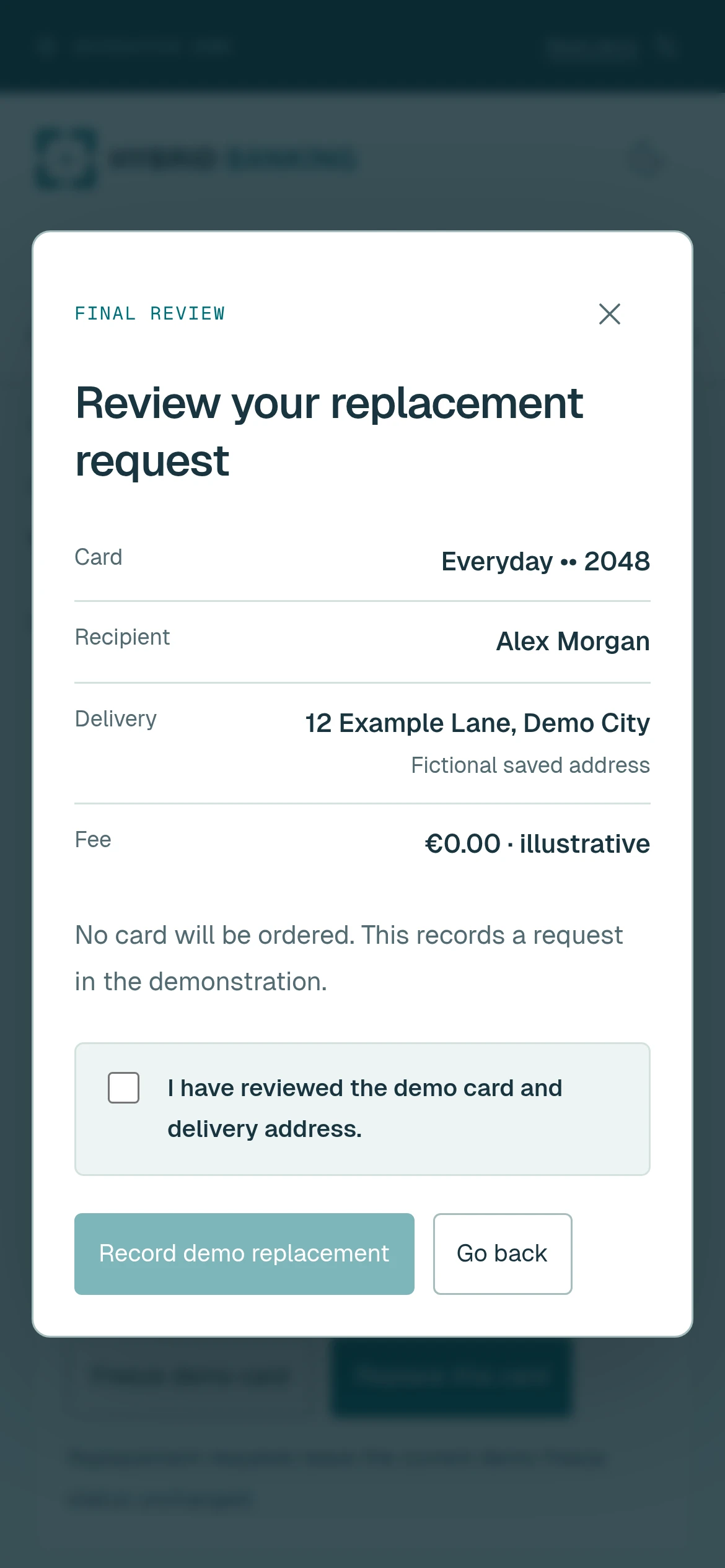
These are responsive web screens, not a released native app. No card is ordered or delivered by the sandbox.
Explore card services4 / For your team
More context. Less switching.
The operating account, payment queue, client review tasks and assistant share a single workspace. A requester can prepare a supplier payment using a command or a form.
Why it matters: An approachable workflow for people with different experience levels. Context stays close to the task instead of being scattered across separate screens.
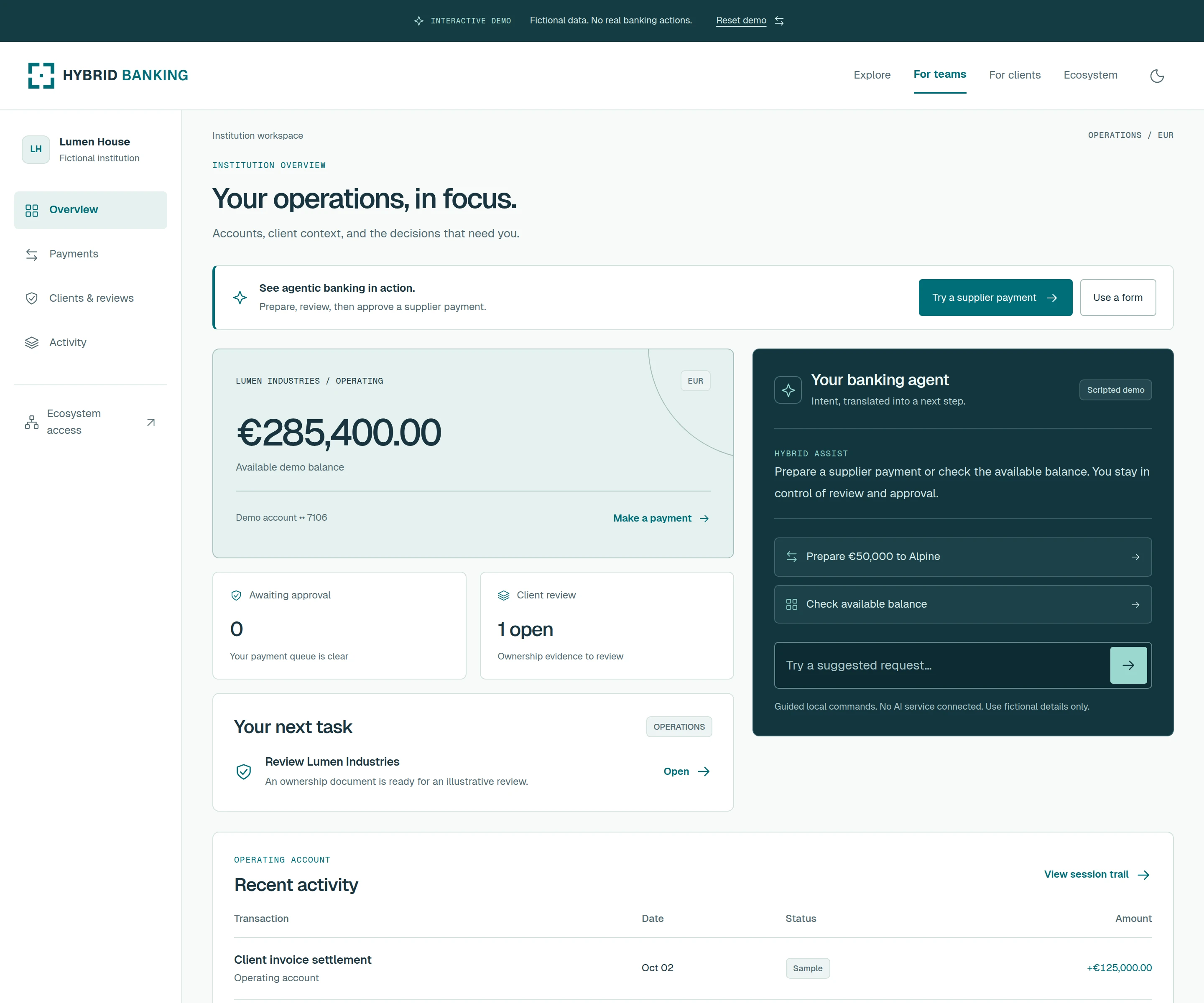
The proposed integration model keeps an existing bank core authoritative. The sandbox currently uses a simulated core; no Temenos or Avaloq connector is active.
Try the team workspace5 / For your team
Make the decision easy to review.
A prepared supplier payment moves into a second review. The reviewer can inspect the recipient and amount, then approve or decline the request.
Why it matters: A clear handoff between preparation and approval. The decision is attached to the request and its context, rather than reconstructed in a separate conversation.
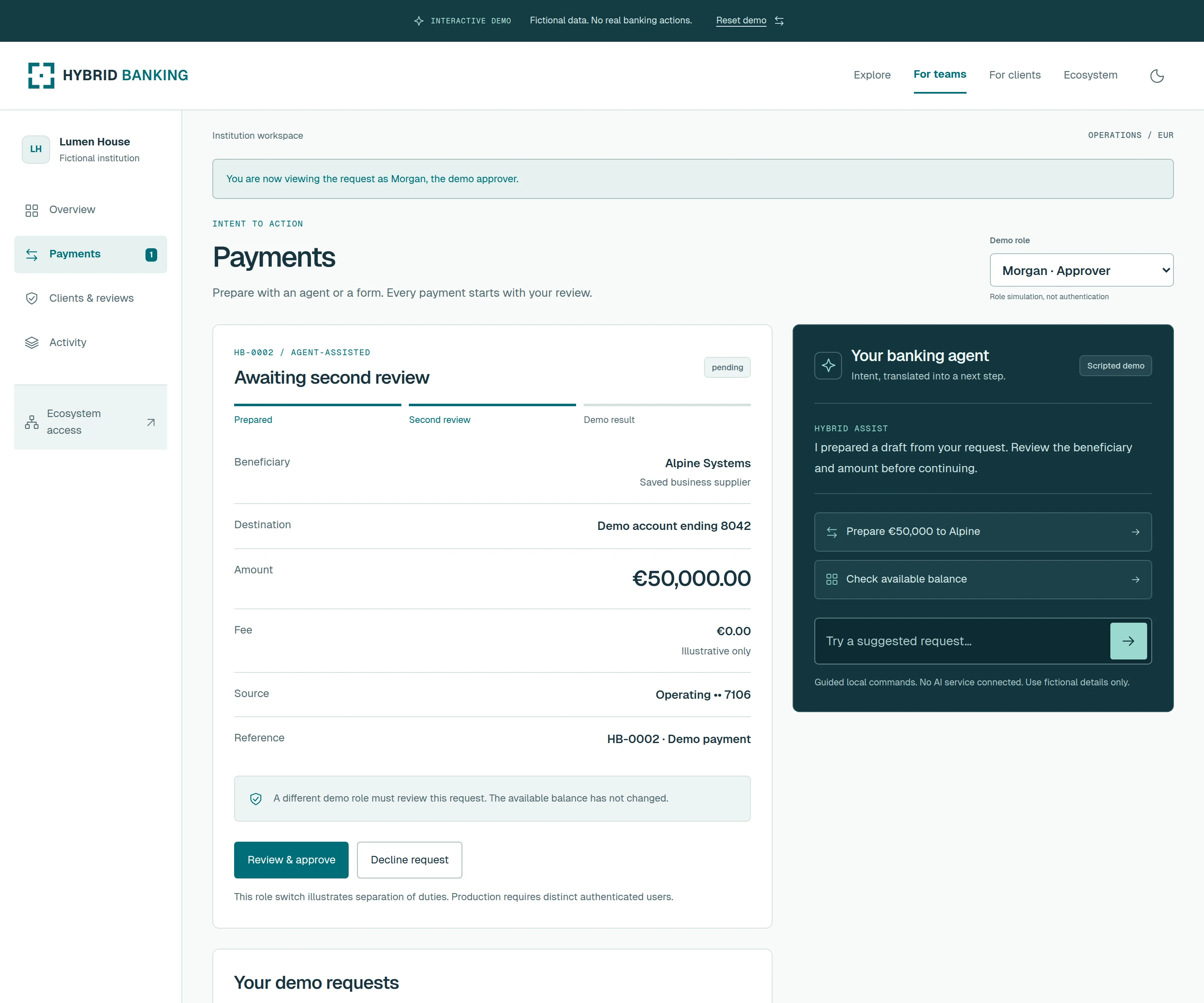
Public-demo roles are illustrative. The signed-in sandbox enforces assigned roles and requires a different authenticated person for employee approval. No real funds move.
Explore the approval flow6 / For your team
The record behind the decision.
A client record brings the relationship and a sample ownership document together. The employee can inspect the evidence and record that it has been reviewed.
Why it matters: Less effort finding the information needed for the next step. The interface distinguishes reviewing evidence from making a compliance decision.
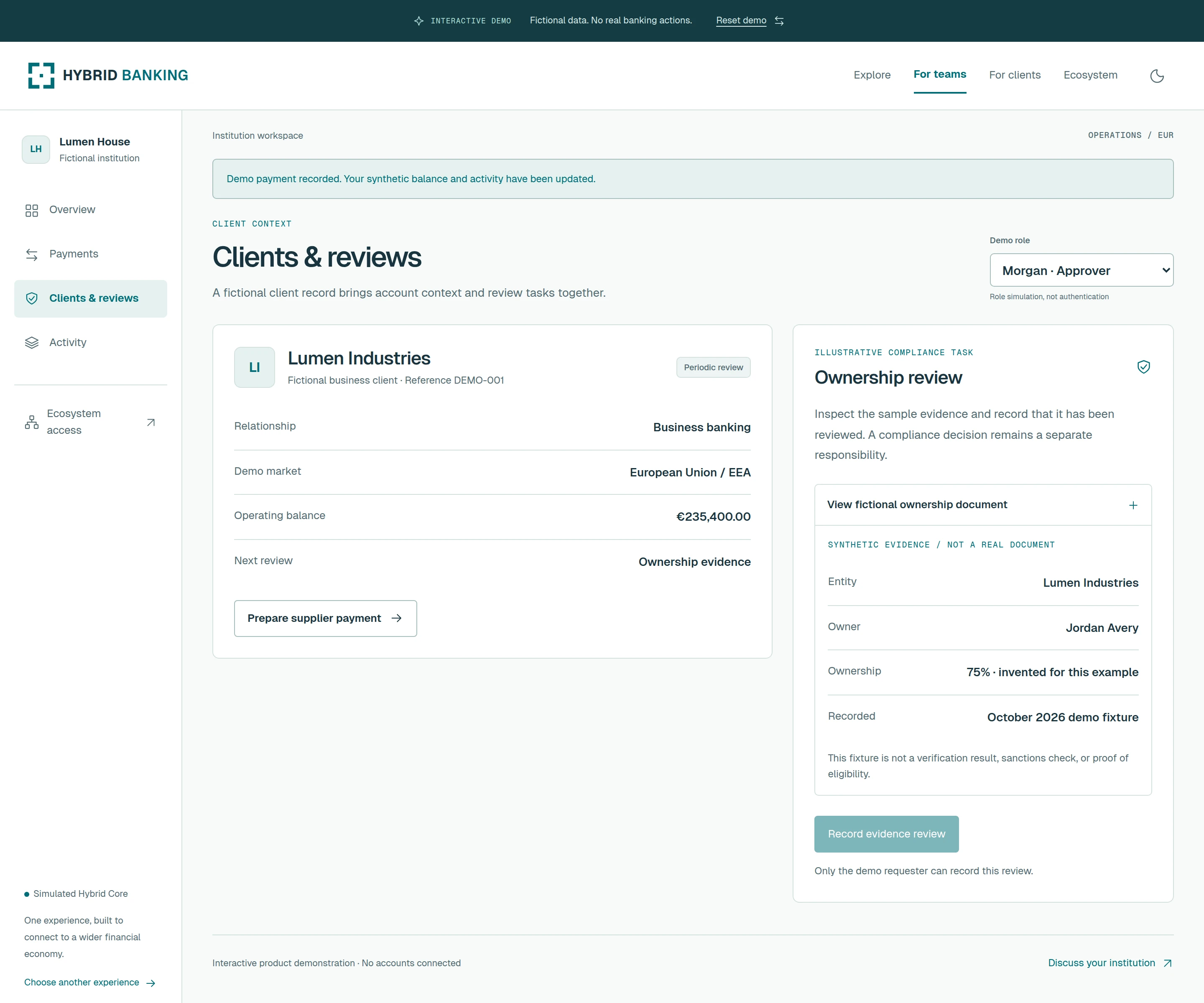
The document and people shown are fictional. Recording an evidence review is not KYC approval, a sanctions result or a compliance decision.
Open the client review7 / For your team
See how the request became a result.
The activity view follows the request from preparation through review to the simulated ledger result, identifying the role involved at each step.
Why it matters: A clearer basis for operational follow-up. Teams can see what changed and where it happened without inferring the outcome from an assistant’s reply.
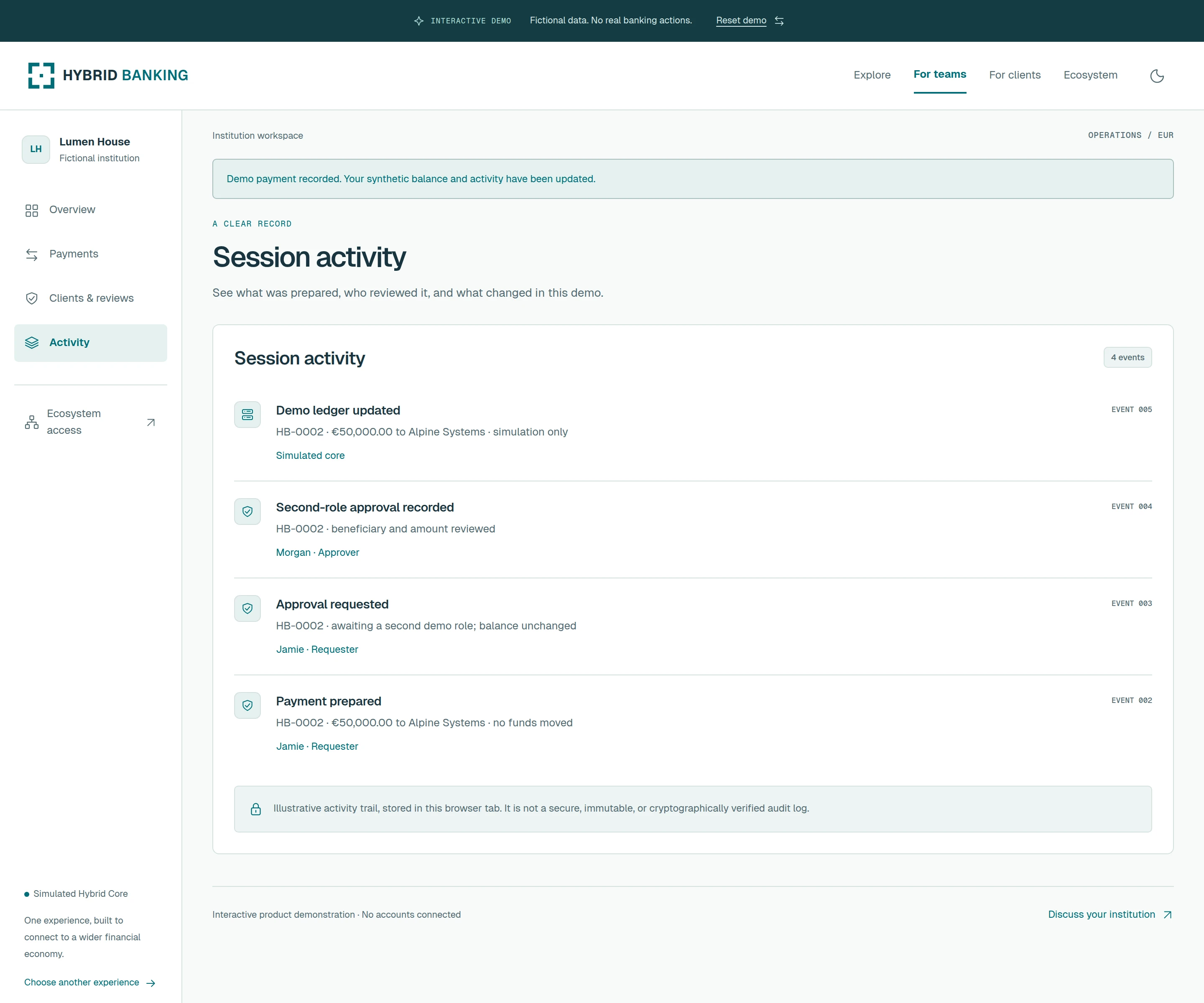
The signed-in sandbox saves encrypted records on Core. This is not a certified, immutable audit system or a live regulatory reporting service.
Explore the activity view8 / Beyond your institution
Your next opportunity is connected.
Explore partner capabilities, choose your institutional context and intended market, then build a brief around the relationships you want to develop.
Why it matters: A concrete starting point for a business conversation with OVRYDE and relevant providers—connecting operational needs with a wider range of opportunities.
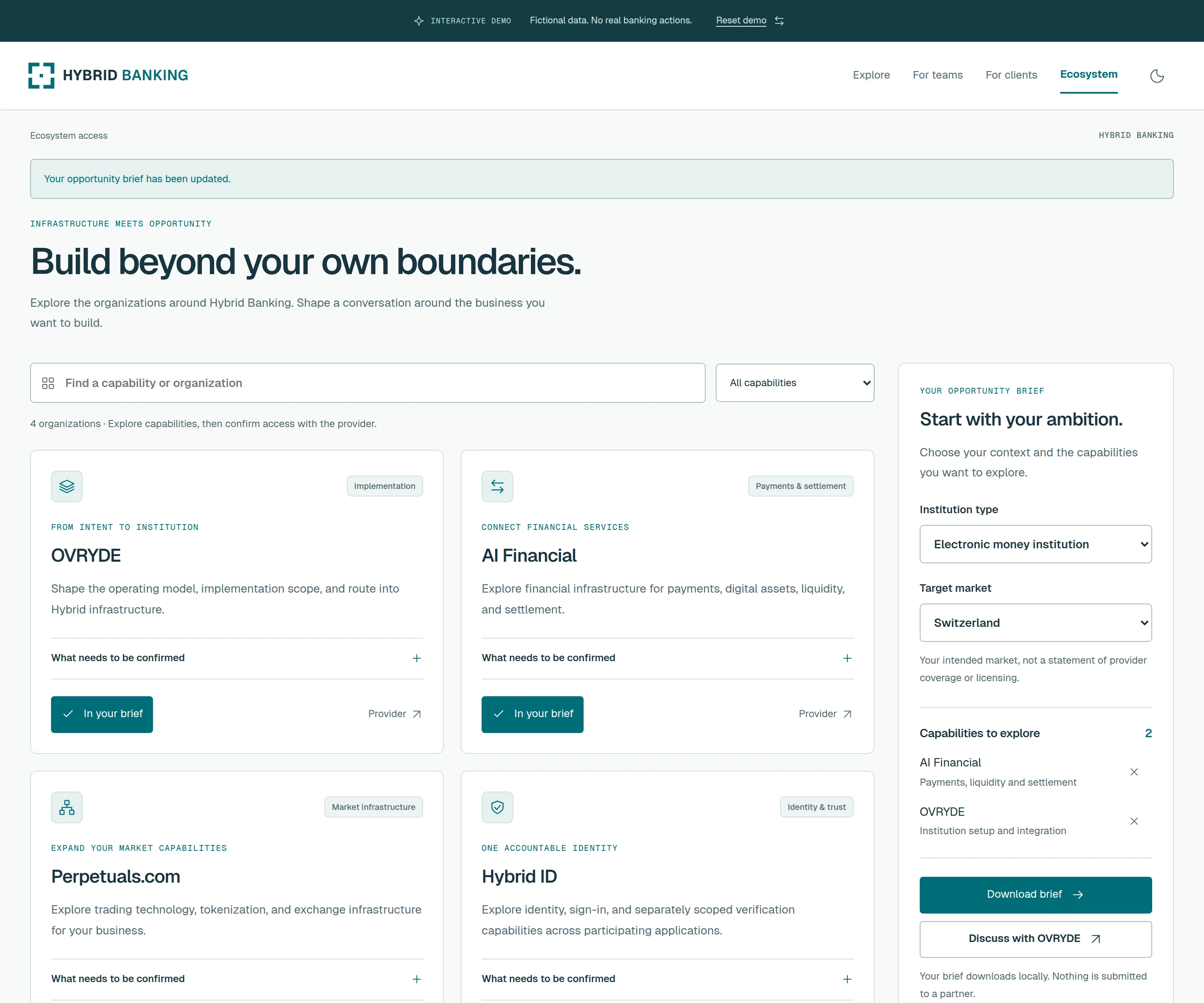
Access depends on provider agreements, jurisdiction, eligibility and integration. Licenses remain with the licensed entities; a shortlist does not activate a service.
Build an opportunity brief